
Apple Watch guide
Rink Report on Apple Watch
Roll Safe, check-ins, the Skate Log, nearby rinks and the weather, right on your wrist. This is the whole tour.
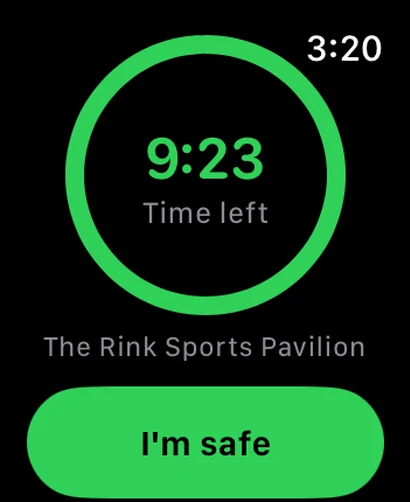
Get it on your wrist
You need an Apple Watch with watchOS 10 or later, paired with an iPhone that has Rink Report 1.1 or newer.
Install Rink Report on your iPhone
Get it free on the App Store, then sign in once.
Let the Watch app install
It comes along with the iPhone app. If it is not on your watch, open the Watch app on your iPhone, find Rink Report under Available Apps and tap Install.
Open it and allow location
Open Rink Report on your watch and allow location when asked, so it can find rinks near you. If it asks you to open Rink Report on your iPhone to sync, open the iPhone app once and come back.
Moving around
Swipe up and down, or turn the Digital Crown, to move between pages: Roll Safe, Here, Skate, Favorites, Nearby, Today and Weather.
Button names in quotes appear on your watch exactly as written here.
Every page, one by one
Screens marked sample show the page layout with made-up rinks and times.
Roll Safe
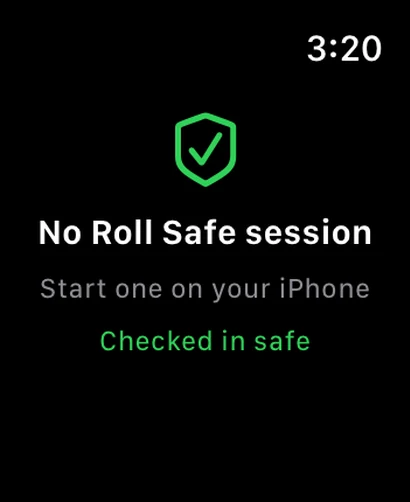
Start your session on your iPhone, in the Roll Safe tab. Your watch then shows the time left in a ring: green, amber in the last five minutes, red when it is due. Tap I’m safe when you are done, or add 15 or 30 minutes if you are still rolling. With no session running, the page says so. Roll Safe is free for everyone.
Good to know. Send help is the small button at the bottom. It asks you to confirm, then quietly alerts your emergency contacts: nothing sounds or shows on your wrist when it goes. You also feel a double tap at five minutes left and a long buzz when time is up.
- Sample screen
Here
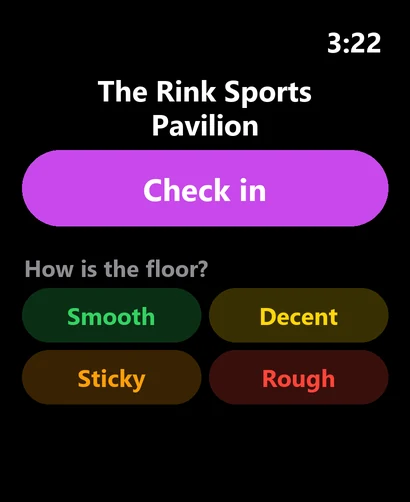
Within about 0.3 miles of a public spot, tap Check in. Then answer two quick questions: how the floor is (Smooth, Decent, Sticky, Rough or Wet) and how busy it is (Empty, Light, Moderate or Packed). It files the same live report as the app.
Good to know. Not at a rink yet? The page shows how far the nearest one is. Each spot takes one check-in and one report every few minutes.
Skate
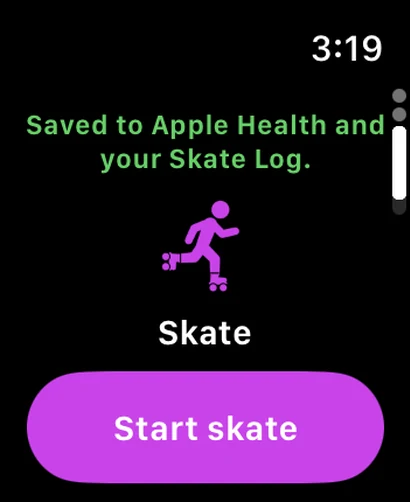
Tap Start skate to begin an Apple Health workout. You see the time, your heart rate and your calories while you roll, with Pause and End. Ending asks you to confirm, then saves the skate to Apple Health and your Skate Log.
Good to know. Only the time and length go to your Skate Log. Heart rate and calories stay in Apple Health. If a skate cannot reach the Log yet, the page counts how many are waiting and offers Log now.
- Sample screen
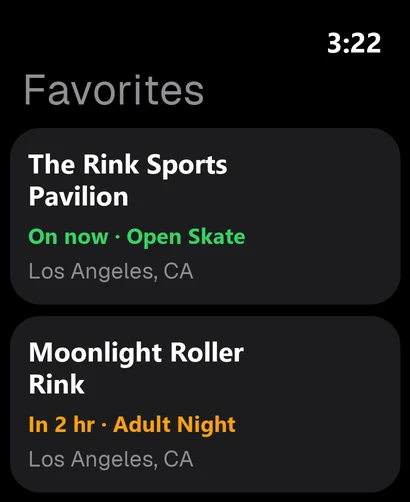
Favorites
Your favorite spots, each with its next session. Open one and tap Remind me to get a reminder on your wrist 30 minutes before it starts.
Good to know. Add favorites with the heart on a spot in the app. Reminders are set on your watch and are not sent anywhere.
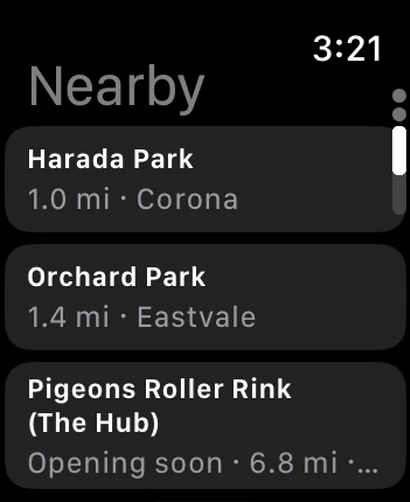
Nearby
Rinks, parks and trails within 70 miles, nearest first. Tap one for its hours and Directions, which opens Apple Maps with driving directions.
Good to know. A place that has not opened yet says Opening soon, so nobody drives there early.
- Sample screen
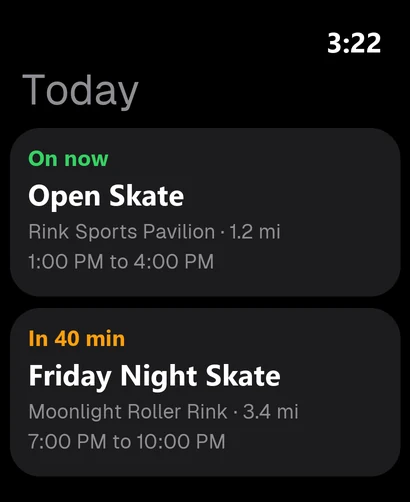
Today
Sessions in the next 12 hours near you: what is on now, what starts soon, where it is and when.
Good to know. Sessions are picked by how close they are to you, so the list changes as you travel.
- Sample screen
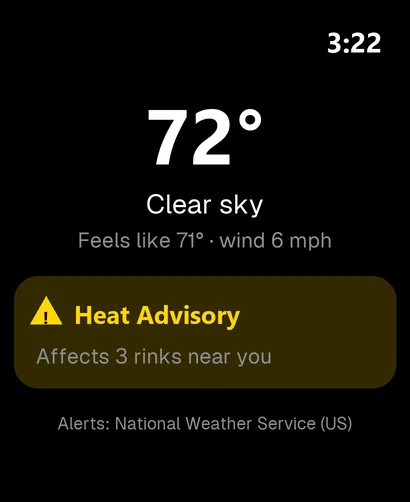
Weather
The temperature, what it feels like and the wind where you are, plus any National Weather Service alert that affects rinks near you.
Good to know. Alerts come from the National Weather Service, so they cover the United States.
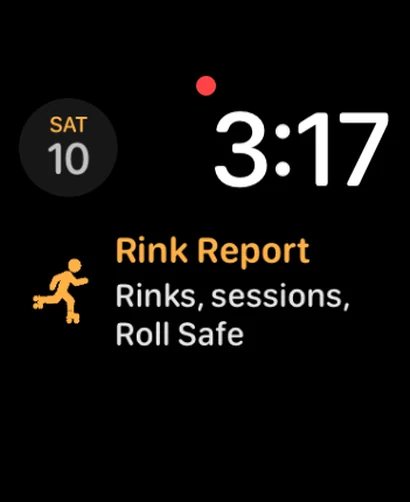
On your watch face
Add Rink Report to your watch face as a complication, in the circular, rectangular, corner or inline size. Tap it to open the app at once. To add it, touch and hold your watch face, tap Edit, choose a complication slot and pick Rink Report. Prefer words? Rink Report (text) is the same shortcut as plain text.
Good to know. The complication opens the app. It does not show live information yet.
What it uses, and why
- Location: to find rinks, sessions and weather near you and to know when you are at a rink. Turn it on or off in the Watch app on your iPhone, under Rink Report.
- Apple Health: only for skates you start. The workout is saved in Health, and heart rate and calories stay there.
- Notifications: Favorites reminders and Roll Safe alerts.
If something looks off
- It says to open Rink Report on my iPhone to sync
- Open the iPhone app once and make sure you are signed in, then raise your wrist again.
- The app is not on my watch
- On your iPhone, open the Watch app, find Rink Report under Available Apps and tap Install.
- It says location is off
- Turn it on in the Watch app on your iPhone, under Rink Report.
- Here says I am not at a rink
- Check in works within about 0.3 miles of a public spot. Move closer and give your location a moment to update.
- A skate is waiting to log
- Tap Log now. It needs a connection, through your iPhone, Wi-Fi or cellular.
- Still stuck?
- Get in touch